
Enterprise asset management
Enterprise asset management, alongside your ERP
Keep your ERP as the system of record. EXTAG adds what happens at the asset: tagging, field inspections, certificates and compliance evidence, for the equipment your ERP was never set up to manage.
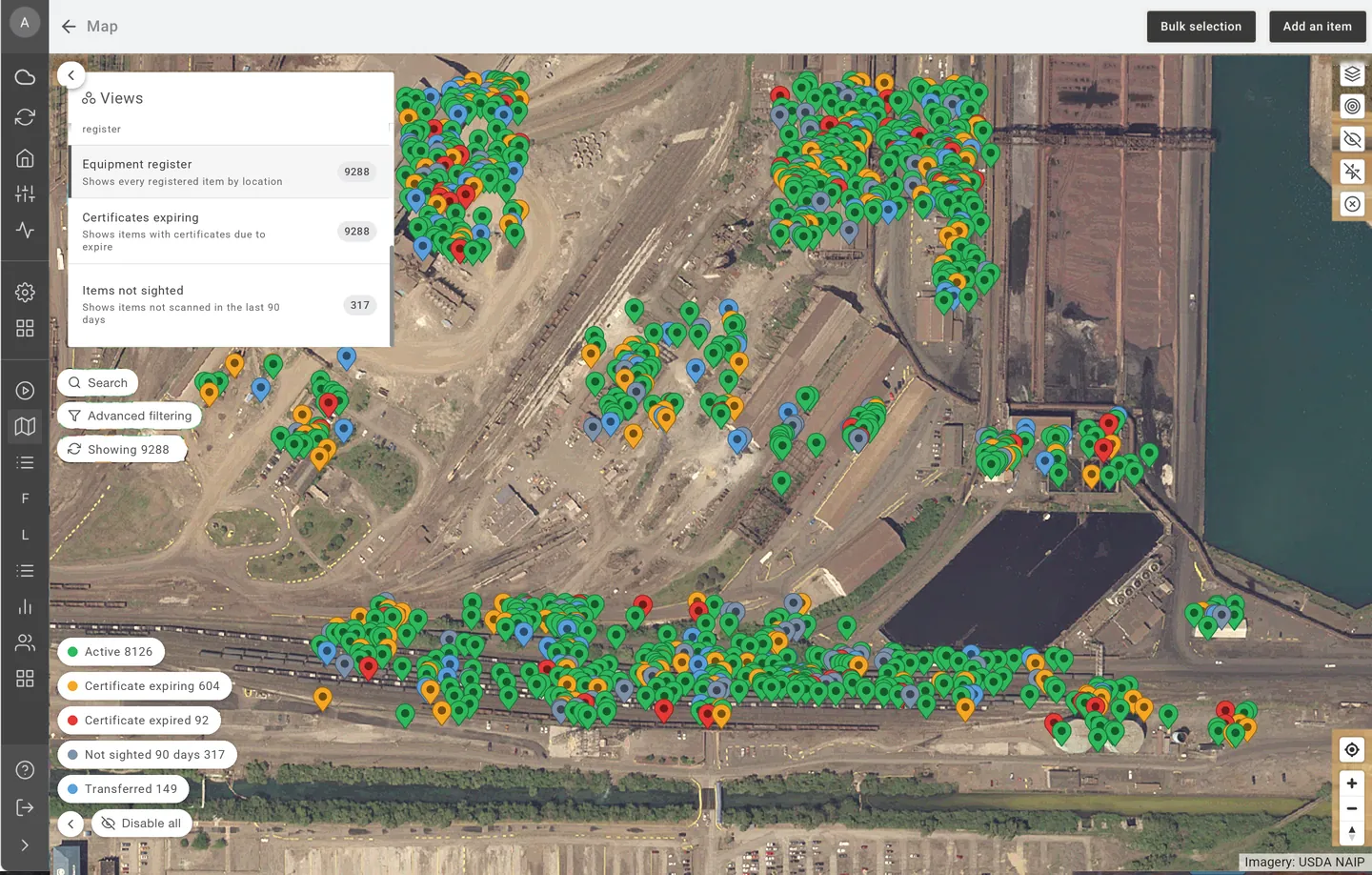
EXTAG is a Perth-built software platform for asset-intensive organisations that keeps every asset, no matter how minor, compliant, safe and ready for use.
The short answer
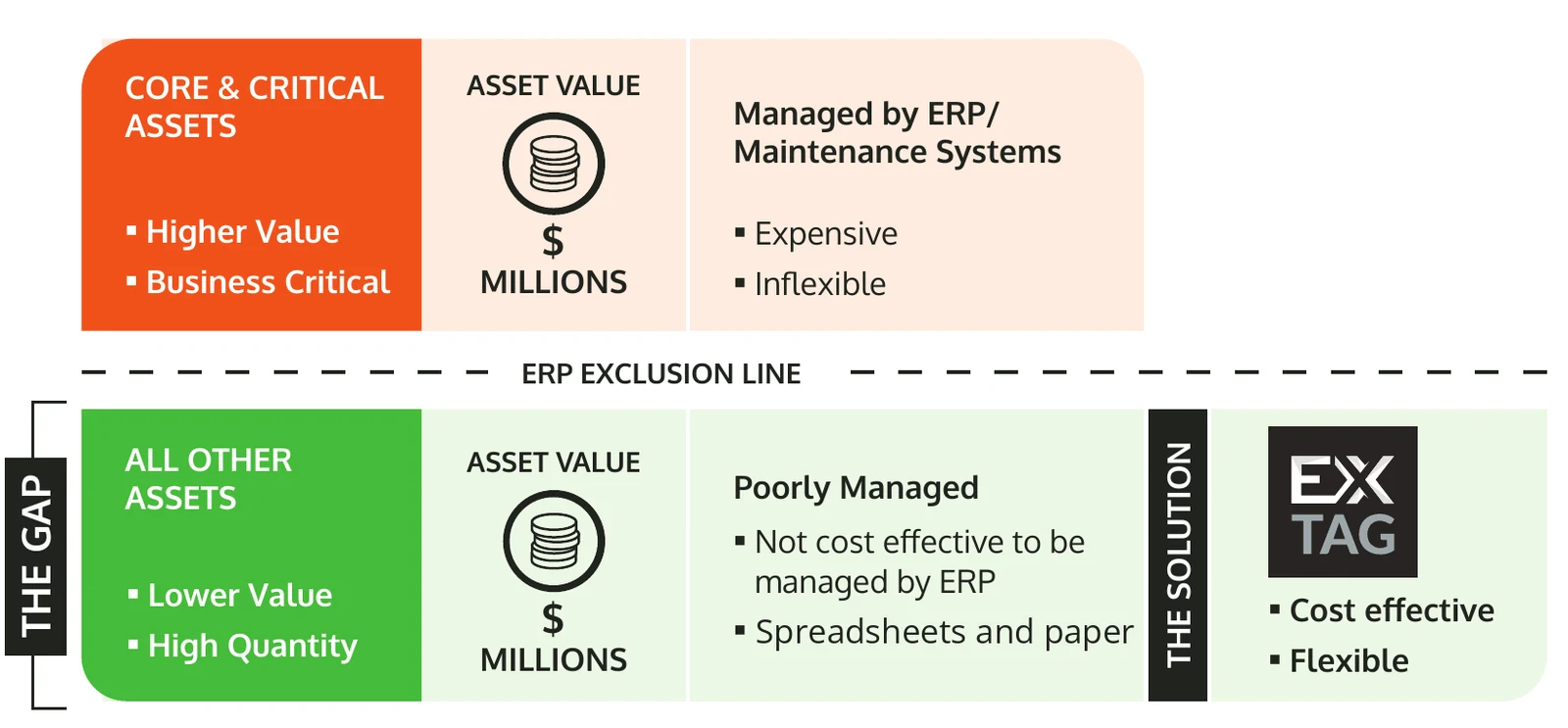
Your ERP or EAM is where finance, procurement, stores and maintenance for core and critical assets are run. It should stay that way. But many other assets and supporting equipment sit below the ERP exclusion line: they aren't cost-effective to manage in the ERP, so they end up in spreadsheets and on paper. EXTAG gives those assets ERP-level control, and brings structured field data to the work around your ERP assets too. It doesn't replace your ERP, and it doesn't do its finance, procurement or stores functions.
ERP-neutral
Works alongside the ERP you already run
EXTAG is ERP-neutral. It sits alongside the enterprise systems asset-intensive organisations already use. Whichever system you run, the model is the same: your ERP stays the system of record, and EXTAG manages the excluded assets and the field evidence.
- JD Edwards (JDE)For example JD Edwards EnterpriseOne
- OracleFor example E-Business Suite (EBS) or Fusion Cloud
- SAPFor example S/4HANA, ECC and Plant Maintenance (PM)
- Microsoft Dynamics 365For example Finance and Supply Chain Management
- And othersOther ERP, EAM and CMMS platforms
Names are shown as text only, for identification. JD Edwards, JDE and Oracle are trademarks of Oracle and/or its affiliates. SAP and S/4HANA are trademarks or registered trademarks of SAP SE. Microsoft and Dynamics 365 are trademarks of the Microsoft group of companies. Other names are trademarks of their respective owners. EXTAG is not affiliated with, sponsored by or endorsed by any of these companies.
Where EXTAG fits
What enterprise asset management covers, and where EXTAG fits
Enterprise asset management (EAM) software manages assets across their life: the asset register, maintenance planning, work orders, spares, costs and lifecycle decisions. Your ERP does this well for the assets it is set up for. The gap is usually at the edges.
The excluded assets
Lifting and rigging, scaffolding and access, fire equipment, mobile equipment, rotables and preserved spares. High in number, lower in individual value, but still worth millions in total.
The field evidence
Inspections, checklists, certificates and photos that are hard to capture in an ERP from a phone on site, especially without a signal.
The proof
Records that show an inspection was done at the asset, not filled in later at a desk.
| Area | Your ERP or EAM | EXTAG alongside it |
|---|---|---|
| Role | System of record | Field layer and register for excluded assets |
| Finance, procurement, stores | Yes | No, stays in your ERP |
| Core and critical asset maintenance | Yes | Can integrate for work orders and status |
| Lifting, scaffolding, fire, test and tag, preserved spares | Rarely cost-effective | Yes, with ERP-level control |
| Mobile inspections, offline | Varies | Yes, scan and complete forms offline |
| Proof of presence at the asset | No | Yes, from a tag scan |
What EXTAG adds
What EXTAG adds to your ERP landscape
Tagging and scanning
Every item gets an NFC tag, QR label or barcode, scanned with a standard phone or tablet. No extra hardware.
Learn moreField inspections and checklists
Smart digital forms, configured to how each site works. They work offline and sync when back in coverage.
Learn moreCertificates on the asset
Certificates, manuals and service records are attached to each item, and EXTAG can generate certificates from completed inspections and services.
Compliance evidence
EXTAG records whether the tag was scanned as part of each inspection or action, showing the person was at the asset.
Learn moreRegisters for the excluded assets
One register for lifting gear, test and tag, scaffolding, fire equipment and more, with status, inspection history and last-scanned location.
Learn moreReporting
Compliance status, forecasting and utilisation in Microsoft Power BI, embedded in EXTAG and included in your licence. EXTAG data can also be connected to your own Power BI.
Learn moreHow it works
How EXTAG works alongside your ERP
- Your ERP stays the system of recordFinance, procurement, stores and maintenance for core and critical assets stay where they are. EXTAG manages what the ERP excludes, and the field work around it.
- Records stay matchedEach EXTAG asset record can hold the identifiers used in other systems, such as the ERP asset number, so records line up.
- Start without an ERP projectExisting ERP extracts and spreadsheet registers can be imported as they are (subject to data quality), so EXTAG can be set up fast and integrated later, once you know what data needs to go where.
- Integrate when you are readyERP integrations are possible: EXTAG connects to your systems through their available APIs, and our team configures them. Data can flow in both directions, for example asset master sync, work orders and status updates. What can be connected depends on the APIs your ERP makes available, and we scope it with you.
You can also export your EXTAG data at any time, for example to Excel or CSV. See AI and integrations.
Enterprise IT
Built for enterprise IT
One platform, approved once
A separate, tailored implementation for each area, each with its own access, team, forms and reporting, so IT reviews and approves EXTAG once.
Learn moreSecure and onshore
ISO/IEC 27001 certified, hosted on AWS in Australia with your data staying in Australia, and sovereign hosting on request. SSO, multi-factor authentication, role-based access and a full audit trail.
Learn moreConfigured, not coded
Changes that take weeks or months in conventional software are typically made in EXTAG within hours to days, with no data migration.
Learn moreScale
From a few hundred assets to hundreds of thousands, with unlimited users and assets per solution, subject to fair use.
Learn moreFor asset-intensive industries
Proven in Oil & Gas since 2018 and in daily use across the resources sector. Built and supported in Perth, and used across Australia and internationally.
Learn moreStart with one asset class
Pick one group of excluded assets, such as lifting gear or test and tag, and have real users within weeks. Prove the model, then add more areas on the same platform.
Learn moreIndustries: oil and gas, mining, power and utilities and more.
Frequently asked questions
Is EXTAG an enterprise asset management (EAM) system?
EXTAG is an asset platform that works alongside your ERP or EAM, such as JD Edwards, Oracle, SAP or Microsoft Dynamics 365. It manages the assets those systems leave out and captures the field evidence around them: tagging, inspections, certificates and compliance. It doesn't do your ERP's finance, procurement or stores functions, and it doesn't replace your ERP.
Which ERP systems does EXTAG work alongside?
EXTAG is ERP-neutral. It works alongside JD Edwards (JDE), Oracle systems such as E-Business Suite and Fusion Cloud, SAP systems such as S/4HANA and ECC, Microsoft Dynamics 365, and other ERP, EAM and CMMS platforms. Your ERP stays the system of record.
Do we need EXTAG if we already have an ERP?
ERPs are built for core and critical assets, and they are expensive and slow to change for high-volume, lower-value equipment. EXTAG gives that equipment ERP-level control, with mobile inspections and proof of presence, while your ERP stays the system of record.
Will EXTAG duplicate data that is already in our ERP?
No. The intent is to manage what the ERP excludes. Each EXTAG asset record can hold the identifiers used in other systems, such as the ERP asset number, so records stay matched. Where an asset or work order does live in the ERP, an integration can be set up so data is entered once.
Can EXTAG integrate with our ERP?
ERP integrations are possible. EXTAG connects to your systems through their available APIs, and our team configures the integration with you, deciding what data needs to go where, for example asset master sync, work orders and status updates.
Do we need an ERP project to get started?
No. Existing ERP extracts and spreadsheet registers can be imported as they are (subject to data quality), so EXTAG can be set up fast and integrated later.
Does EXTAG work offline on remote sites?
Yes. Scanning and forms keep working without a signal and sync when back in coverage.
Further reading
Already running an ERP? See what EXTAG adds.
Contact us to set up a live demo on your excluded assets.